Free Delivery & Return
 365-Day Returns
 10 Million Happy Customers
 500,000 Products in Stock

How to Choose the Right Office Chair
Reviewed by the Beliani Content Team · Updated November 2026
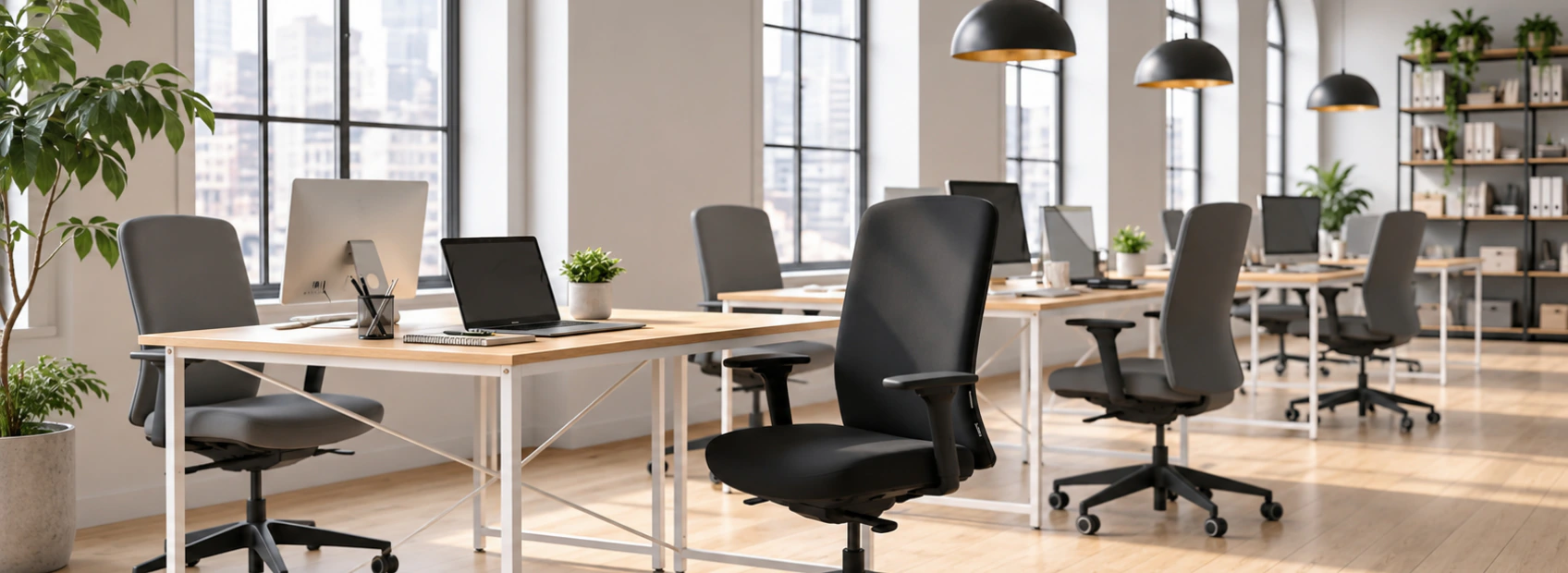
A desk chair is the one piece of office furniture you stay in contact with for most of the working day, often seven or eight hours at a time. Get the fit wrong and you may notice it, in a stiff neck, a tired lower back or a desk that never quite feels right. This guide works through sizing, materials and desk fit, so you can match a chair to how and where you actually work.
In short
What makes an office chair comfortable for a full working day?
A comfortable office chair matches your height, your desk height and the number of hours you spend seated. As a starting point, look for a seat height range that lets your feet rest flat on the floor with your knees roughly level with your hips, usually somewhere around 42-52 cm for an adult of average height. Beyond that, the chair should offer independent seat height adjustment, lumbar support and an adjustable backrest, so it keeps adapting as you change position through the day.
- Your height and weight, which set the seat height and depth range you need
- How many hours a day you sit, which affects how much adjustment and padding matter
- Your desk's height, and whether it is fixed or height-adjustable
- Whether the chair will be shared by more than one person
Can poor seating affect your back and neck?
Office workers who sit for long stretches commonly report lower back pain, upper back and neck strain, and tightness across the shoulders. These complaints can be linked to inadequate lumbar support, poor posture, and chairs that cannot be adjusted to suit different body types.
Regular movement, stretching breaks and a supportive chair all play a part in how you feel at a desk. Of these, the chair is the one piece of equipment you are in contact with for the whole working day, so getting its size and adjustment right makes a practical difference. Tap each point on the chair below to see what it does.
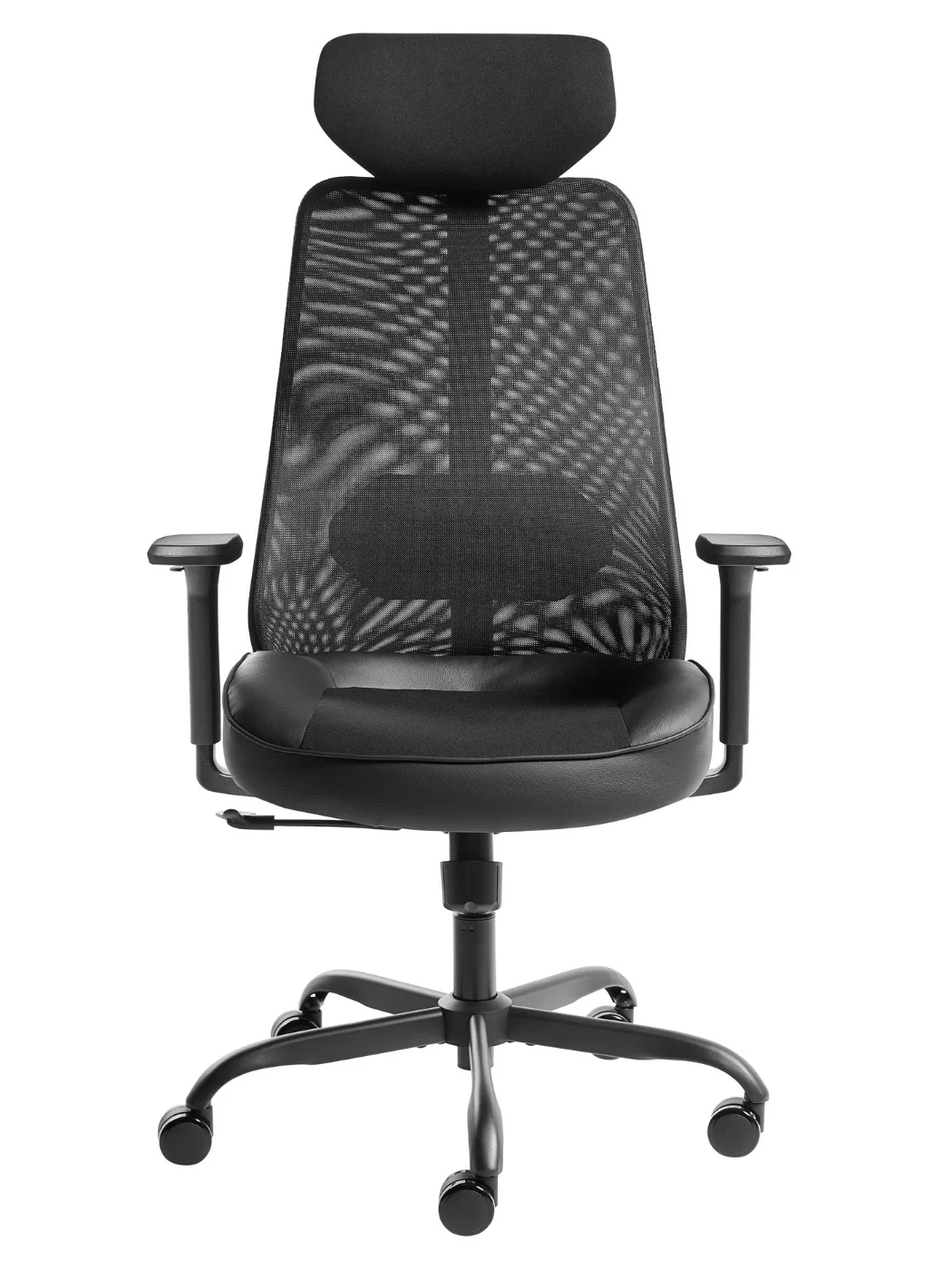
Headrest
Designed to support the head and neck when you recline or take a break from the screen.
Tilting backrest
Lets you shift the recline angle to match different tasks through the day.
Lower back support
Built-in lumbar support is designed to encourage a more supported, upright posture.
Adjustable armrests
Designed to support your shoulders and forearms during long sessions at the keyboard.
Seat width and depth
A wide, deep seat gives you room to shift position and stay comfortable.
Thick padding
A thick, well-padded seat is designed to stay comfortable through a full working day.
Seat height adjustment
A lever under the seat raises or lowers the chair, so you can set the seat height to your desk and keep your feet flat on the floor.
Castors and base
Wheels let you move around the desk, and the base supports the whole chair.
What are the long-term benefits of choosing the right office chair?
Choosing a well-made office chair is not only about comfort during the working day, it is also an investment in how your workspace feels and performs over several years.
Support for posture through the working day
Sitting for long stretches can lead to stiffness and reduced comfort over time. A chair built with ergonomics in mind is designed to support a more comfortable sitting posture, with adjustment at the lower back, seat and armrests.
Fewer distractions, easier focus
Comfort and concentration are linked: a chair that does not pull your attention away through discomfort makes it easier to stay on task. Adjustable height, lumbar support and armrests work together to keep you in a supported position without having to think about it.
Long-term cost efficiency
Office chairs built from solid materials are designed to withstand years of daily use without losing their support. The higher initial cost is often offset by not needing to replace the chair as often.
A more professional-looking workspace
A well-designed office chair also contributes to how a workspace looks and feels, which matters whether you work from home or welcome colleagues or clients into the room.
What are correct and incorrect sitting postures?
Small changes to how you sit can make a real difference to comfort over a working day. Here is what a supported posture looks like next to common mistakes to avoid.
Correct posture
Supported, upright and level
- Monitor at eye level, to avoid tilting your neck down
- Spine upright and supported by the backrest
- Elbows bent at roughly a right angle at the keyboard
- Lower back supported by the chair's lumbar support
- Feet flat on the floor, or on a footrest
Common mistakes
Leaning, slouched or unsupported
- Leaning in too close to the screen, which can strain the neck and shoulders
- Slouching, which can put extra load through the spine over time
- A rounded, unsupported back without lumbar contact
- Wrists bent up or down at the keyboard instead of level
- Feet dangling instead of resting flat or on a footrest
Which material and upholstery should you choose?
Upholstery affects how a chair feels day to day and how much upkeep it needs, so it is worth weighing against how you actually use the chair.
| Material | What it is like to use | What to weigh up |
|---|---|---|
| Mesh | Breathable and supportive, so it stays cool over long sessions. | The feel is firmer than padded upholstery, and support quality varies between chairs. |
| Fabric | Soft, warm and comfortable to sit on. | Holds dust and is harder to clean after spills than a wipeable surface. |
| PU or faux leather | Easy to wipe clean, with a smart, professional look. | Feels warmer to sit on than fabric or mesh, and can wear at the edges over time. |
| Genuine leather | Durable and premium in feel and appearance. | Costs more than other upholstery and needs regular care to stay in good condition. |
| Frame and base | Nylon bases suit most users and everyday weights. | Aluminium or steel is sturdier and better suited to heavy-duty, higher-weight models. |
What size office chair do you need?
Use your height as a starting point, then check the exact seat height range and depth on the product page against it.
| User height | Seat height range | Seat depth | Backrest | Notes |
|---|---|---|---|---|
| Under 160 cm | 38-48 cm | Shallow or adjustable | Mid-back | Check that your feet reach the floor, or add a footrest. |
| 160-185 cm | 42-52 cm | Standard | Mid to high back | Fits most standard office chairs. |
| 185 cm and over | 46-58 cm | Deep | High back, with headrest | Look for an extended gas lift and a taller backrest. |
| Heavy-duty (120 kg+) | Varies by model | Wide seat | Reinforced frame | Check the chair's rated weight capacity and the certification of its frame. |
Will the chair fit your desk and your workspace?
The right chair still needs to work with the desk and the room around it, so check these before buying.
- Desk height: most fixed desks sit between 72 cm and 76 cm, so check the chair's seat height range reaches that comfortably.
- Armrest clearance: make sure the armrests can slide under the desktop, or choose armrests that are removable or height-adjustable.
- Height-adjustable desks: pick a chair with a wide seat height range, so it still matches the desk at both its lowest and highest settings.
- Rolling space: leave around 1 metre of clear floor space around the desk, so the chair can roll and swivel without hitting walls or furniture.
Common mistakes when choosing an office chair
- Choosing by looks or price alone, without checking that the seat height, depth and armrest range actually fit you and your desk.
- Expecting the chair to do all the work. Even a fully adjustable chair with lumbar support and tilt is designed to support a comfortable sitting posture, not to replace regular breaks and movement during the day.
- Forgetting the desk and the room: armrests that will not slide under the desktop, or too little clear floor space for the chair to roll and swivel.
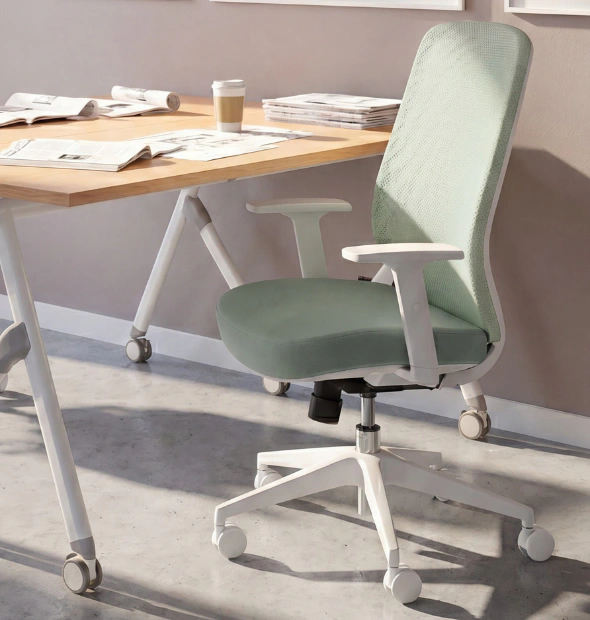
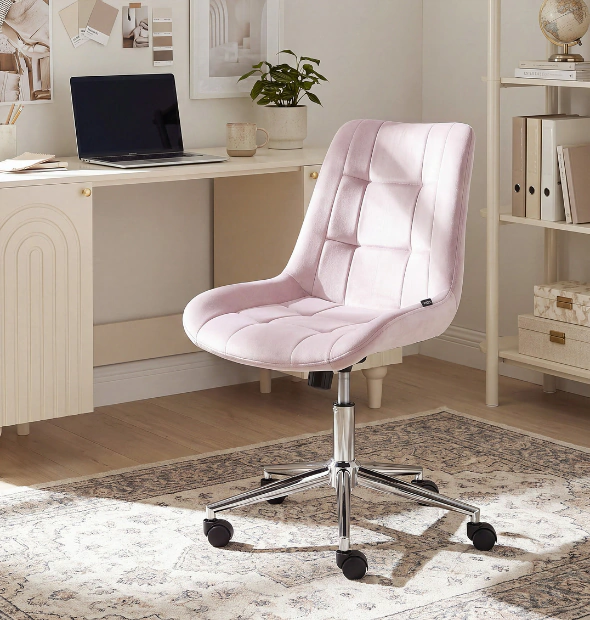
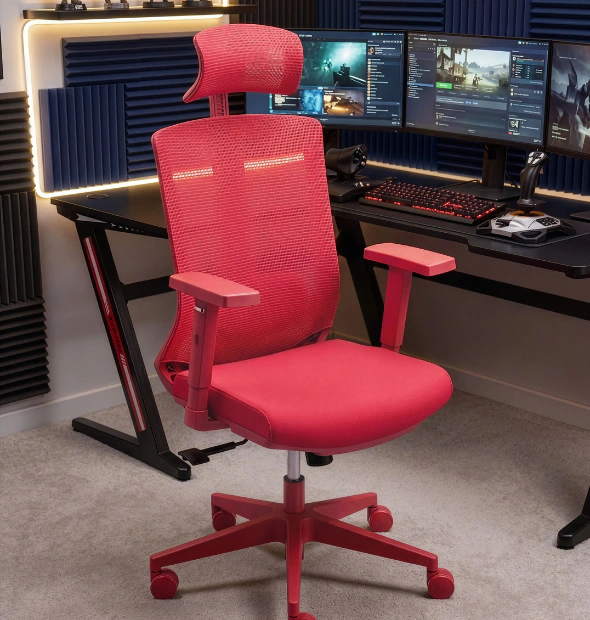
Shop now: products in the pictures
What else should you add to a comfortable home office?
Desk
A sturdy, well-sized desk
Your desk is the foundation of your workspace. Choose one with enough surface area for your equipment, and check its height against the chair's seat height range.
Shop now: desks
Lighting
Lighting suited to screen work
Good lighting reduces eye strain and helps you stay focused. An adjustable desk lamp lets you angle light exactly where you need it.
Shop now: office lighting
Storage
Storage that keeps the desk clear
Filing cabinets and shelving keep paperwork and equipment off the desk, which gives you more usable surface area and a tidier room.
Shop now: office storage
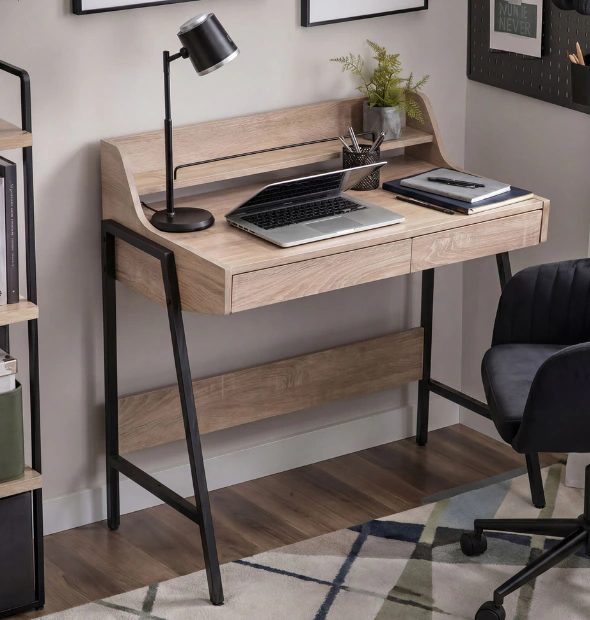
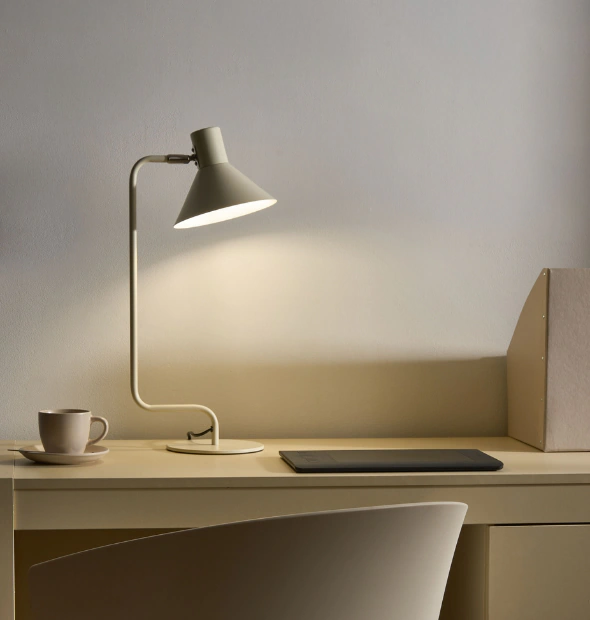
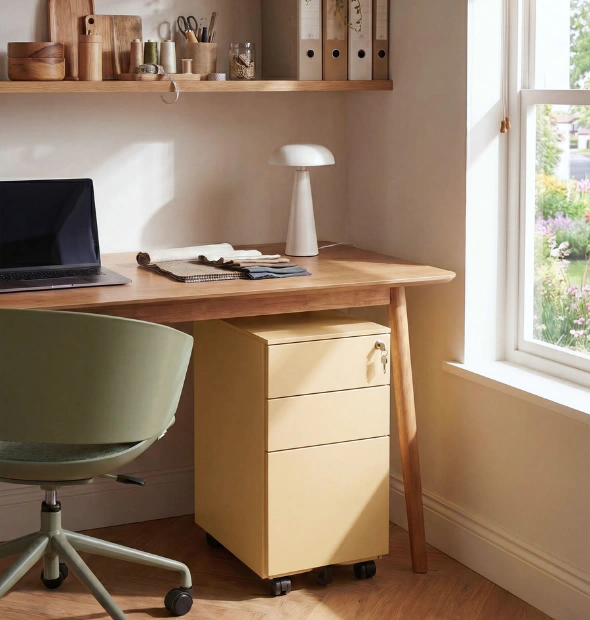
Shop now: products in the pictures
What to check before buying
Before you add an office chair to your basket, work through these checks in order.
- Match the seat height range to your own height and to your desk's height, not just to the chair on its own.
- Check that armrests slide under your desk, or are removable or height-adjustable if they do not.
- Choose upholstery that suits daily use, such as mesh for a warm room or PU leather for easy cleaning.
- Confirm the chair's rated weight capacity if you need a heavy-duty model.
- Leave around 1 metre of floor space around the desk so the chair can roll and swivel freely.
- Where possible, test the lumbar support and tilt tension before you commit to a chair.
Learn more: how to arrange perfect office at home
Frequently asked questions
How long does an office chair typically last?
A well-built office chair used daily typically lasts around 7 to 10 years before the padding, tilt mechanism or castors need replacing. Chairs used for shorter hours, or with a sturdier frame and base, often last longer.
Can one office chair suit several people sharing a desk?
Yes, as long as the chair has a wide seat height range, adjustable armrests and adjustable lumbar support, since these are the settings that differ most between users. A chair with only a narrow adjustment range will suit one person far better than another.
Do I need a floor mat under an office chair with castors?
On hard flooring, a mat is usually optional and mainly protects the floor from scuffing. On carpet, a mat makes the chair roll and swivel far more easily, since standard castors can struggle on thick pile.
Is a headrest necessary if I mostly look at a screen?
Not necessarily. A headrest mainly helps when you recline the backrest or take short breaks away from the screen, rather than during focused, upright screen work. If you rarely recline, a chair without one works just as well.
Can an ergonomic chair help with existing back pain?
An ergonomic chair is designed to support a comfortable sitting posture, but it is not a treatment and does not replace medical advice. If you have existing back pain, speak to a healthcare professional about diagnosis and treatment.